 TimeSwiper
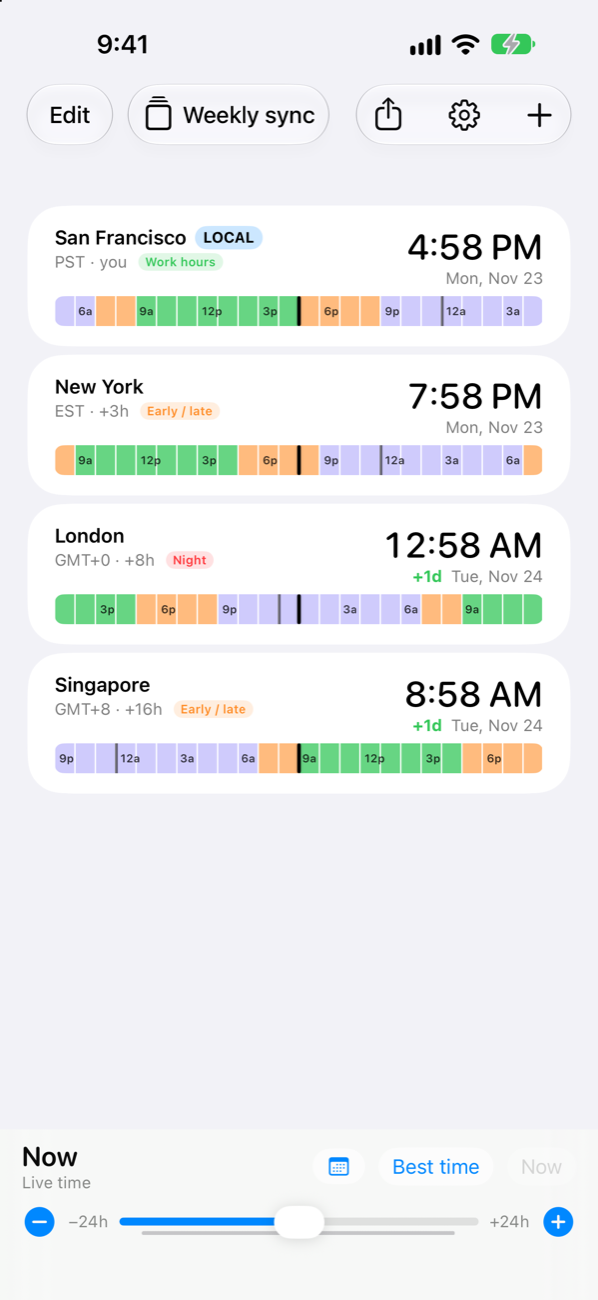
See the whole day, everywhere, at a glance
Every city gets a 24-hour timeline. Swipe any of them, or the slider, and they all move together in 15-minute steps. You see at once who is at their desk, who is at dinner and who is asleep.
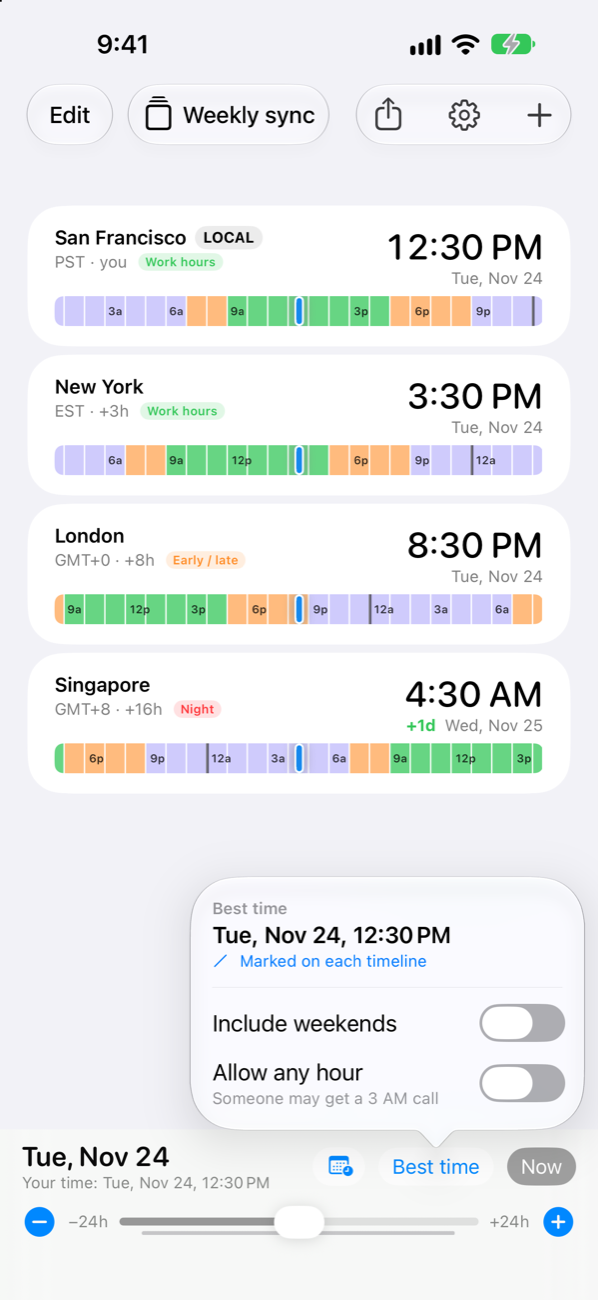
One tap finds the least painful slot
TimeSwiper searches the coming week for the moment closest to working hours for everyone at once, and marks it on every timeline.
- Skips weekends unless you include them
- Spreads the pain, or lets one person take the 3 AM call
- Pick any future date and daylight saving is already accounted for
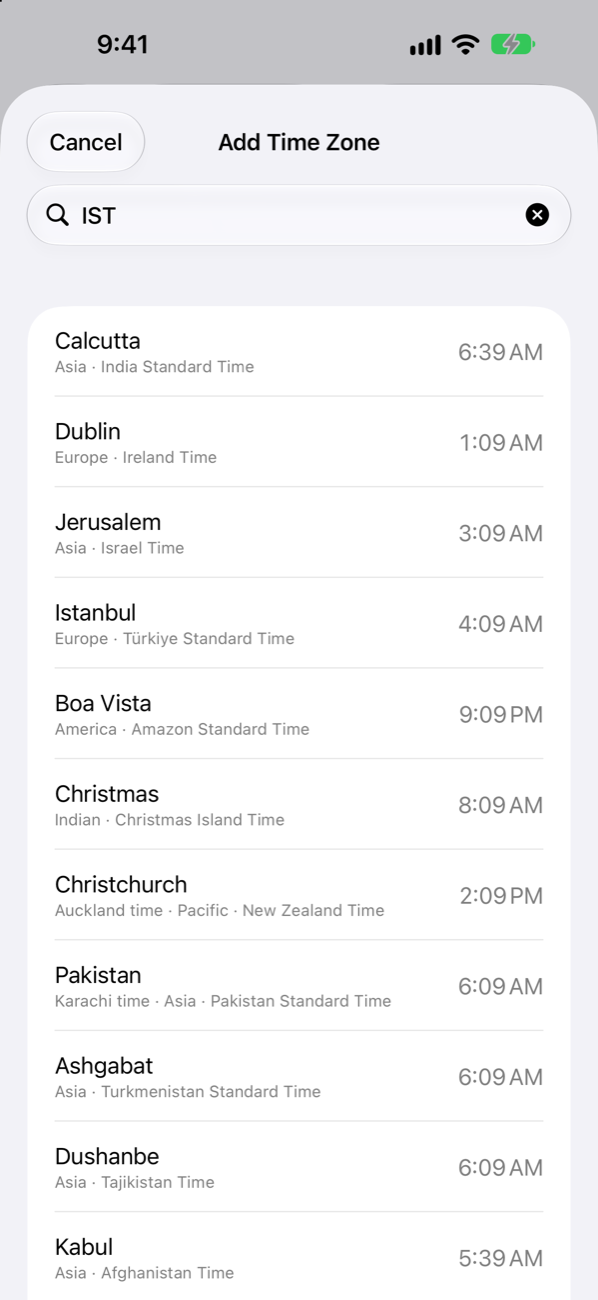
Find a zone the way you think of it
Type a city like San Francisco, a country, an abbreviation like PST or IST, or an offset like UTC+8. The zone keeps the name you searched for, so your list reads the way your team talks.
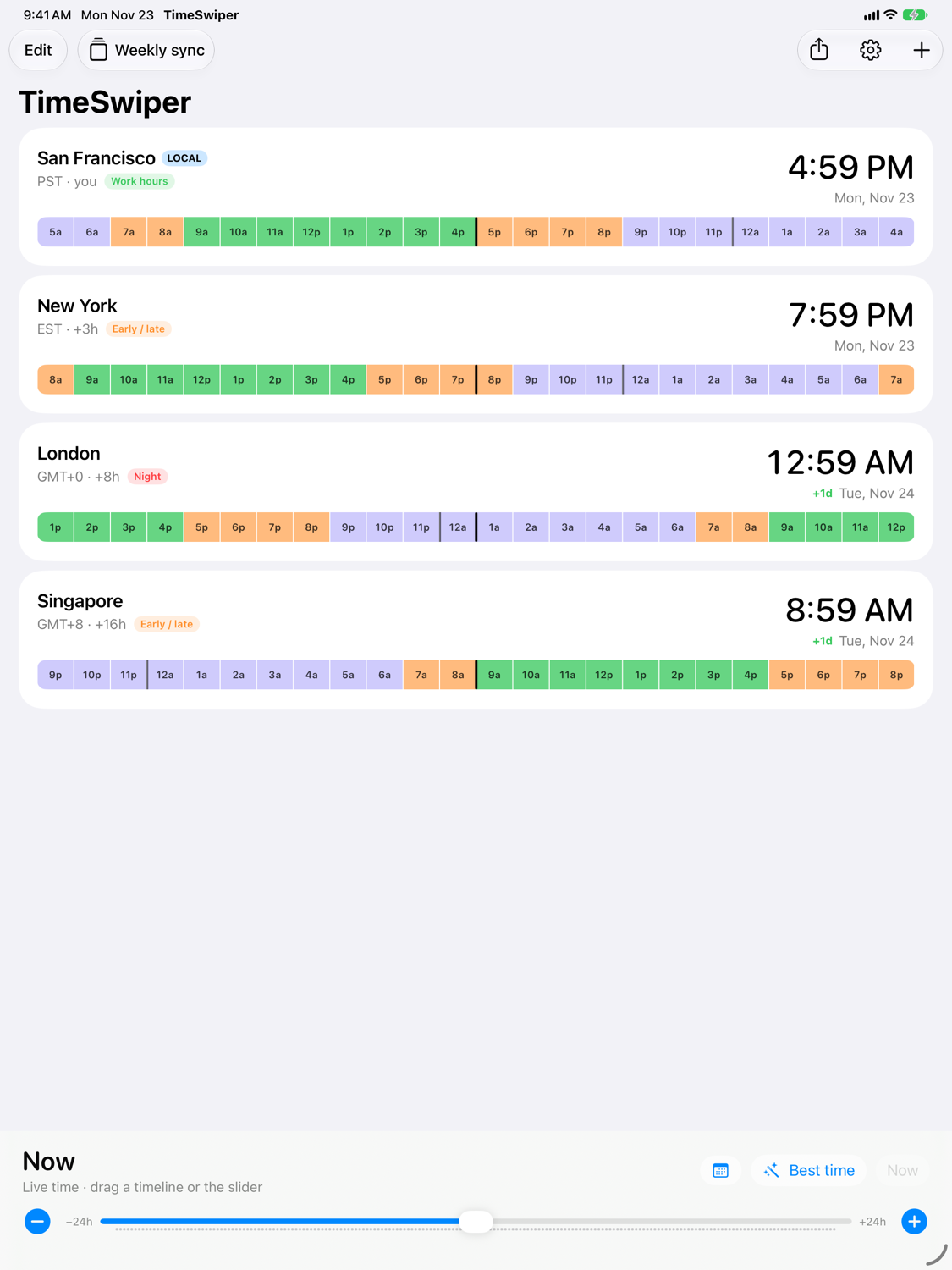
Room for every hour
On iPad each timeline labels every hour, so a week of planning fits on one screen. Zone Sets keep a separate list of cities for each regular meeting, and iCloud keeps them the same on all your devices.
- Zone Sets: one tap to switch between meetings Pro
- Name each zone after a person or an office, like "London · Sarah" Pro
- Share a meeting link, a picture or plain text
- Links open in each person's own time zone, even without the app

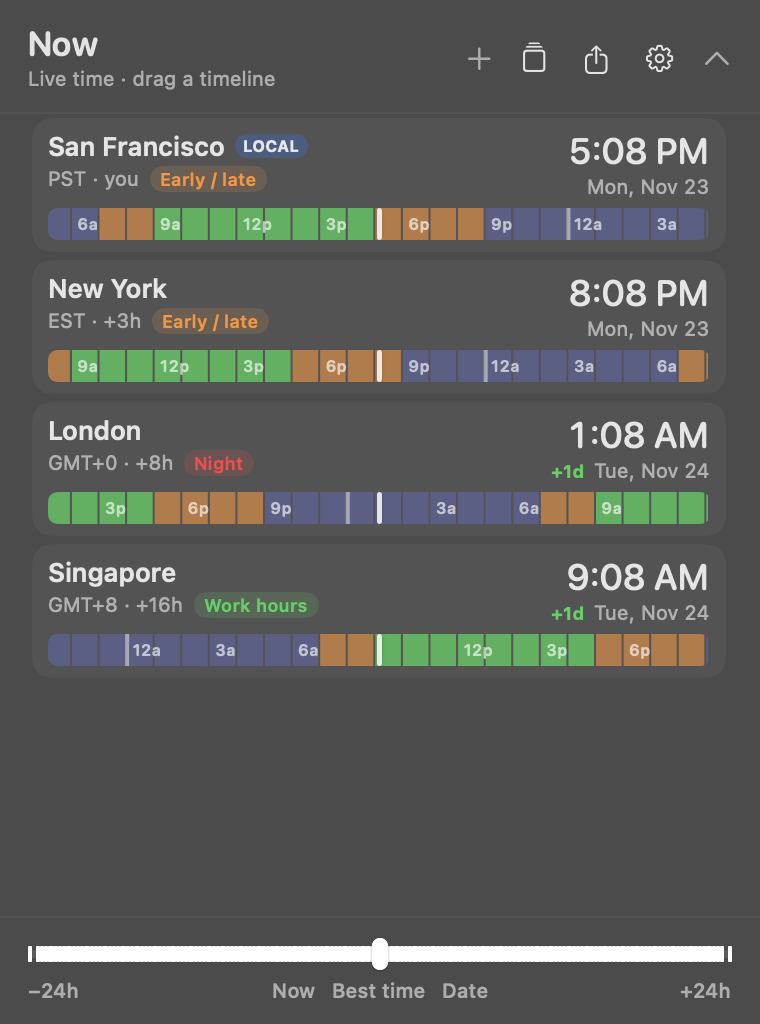
Always one click away
On Mac, TimeSwiper is a small panel that stays out of your way. Keep it floating above your work, pin it to the desktop, or fold it down.
- Folds to a slim bar with every city's time Pro
- Or lives in the menu bar Pro
- Opens at login if you like
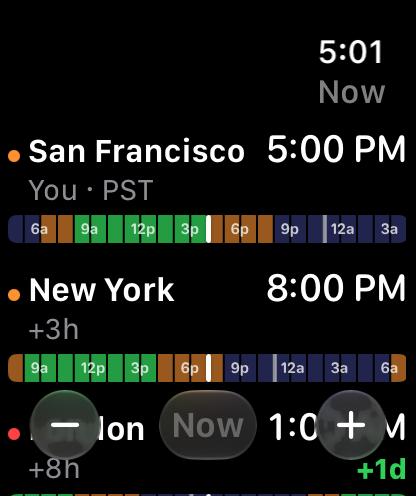
Your zones on your wrist
The watch mirrors the cities on your iPhone. Turn the Digital Crown to scrub through the day, and add a complication to keep a city's time on your watch face.
Simple pricing
Start free. Upgrade when you need more zones. One subscription covers every device.
Free
$0
- Up to 3 time zones
- Swipe to compare times
- City, abbreviation and offset search
- Share links, images and text
TimeSwiper Pro
$5.99 per year, after a 7-day free trial
- Unlimited time zones
- Timeline layout
- Best meeting time, found for you
- Plan for any future date
- Zone Sets, synced through iCloud
- Your own name on each zone: a person or an office
- Floating bar and menu bar modes on Mac
Price shown in US dollars; your App Store shows the price in your currency. The subscription renews yearly until cancelled in your App Store account settings.
Stop doing time zone maths.
No account, no ads, no tracking. Your zones stay on your devices.